
Why freelancers need a proper invoice generator
If you're freelancing in the UK, getting paid starts with sending invoices. But creating invoices manually — whether in Word, Excel, or a basic template — takes time and introduces risk. Forget a required field, miscalculate VAT, or lose track of invoice numbers, and you've got problems.
A dedicated invoice generator solves these issues. It ensures every invoice includes the information UK law requires, handles calculations automatically, and keeps your records organised. You spend less time on paperwork and more time on paid work.
Whether you're a designer billing project milestones, a developer charging day rates, or a consultant invoicing retainer fees, the fundamentals are the same: you need clear, professional invoices that get you paid on time.
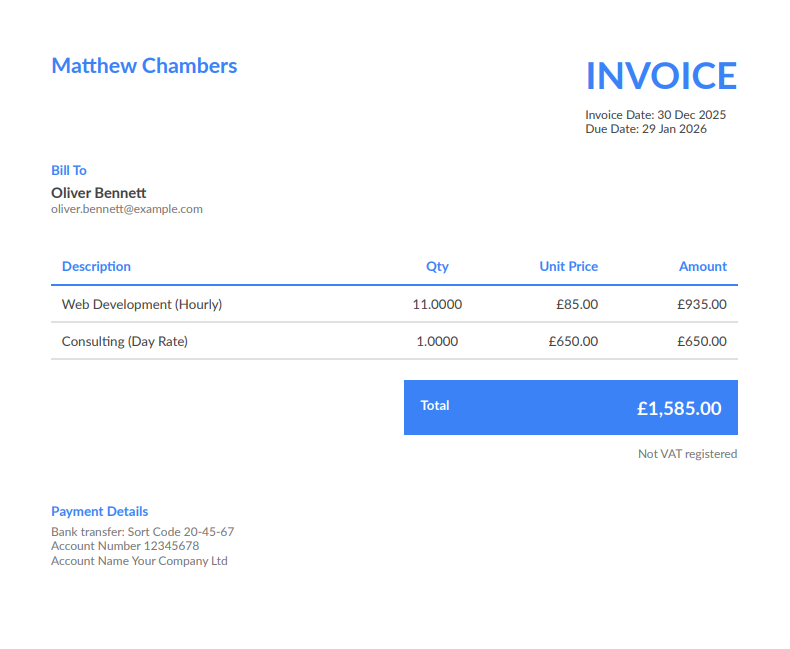
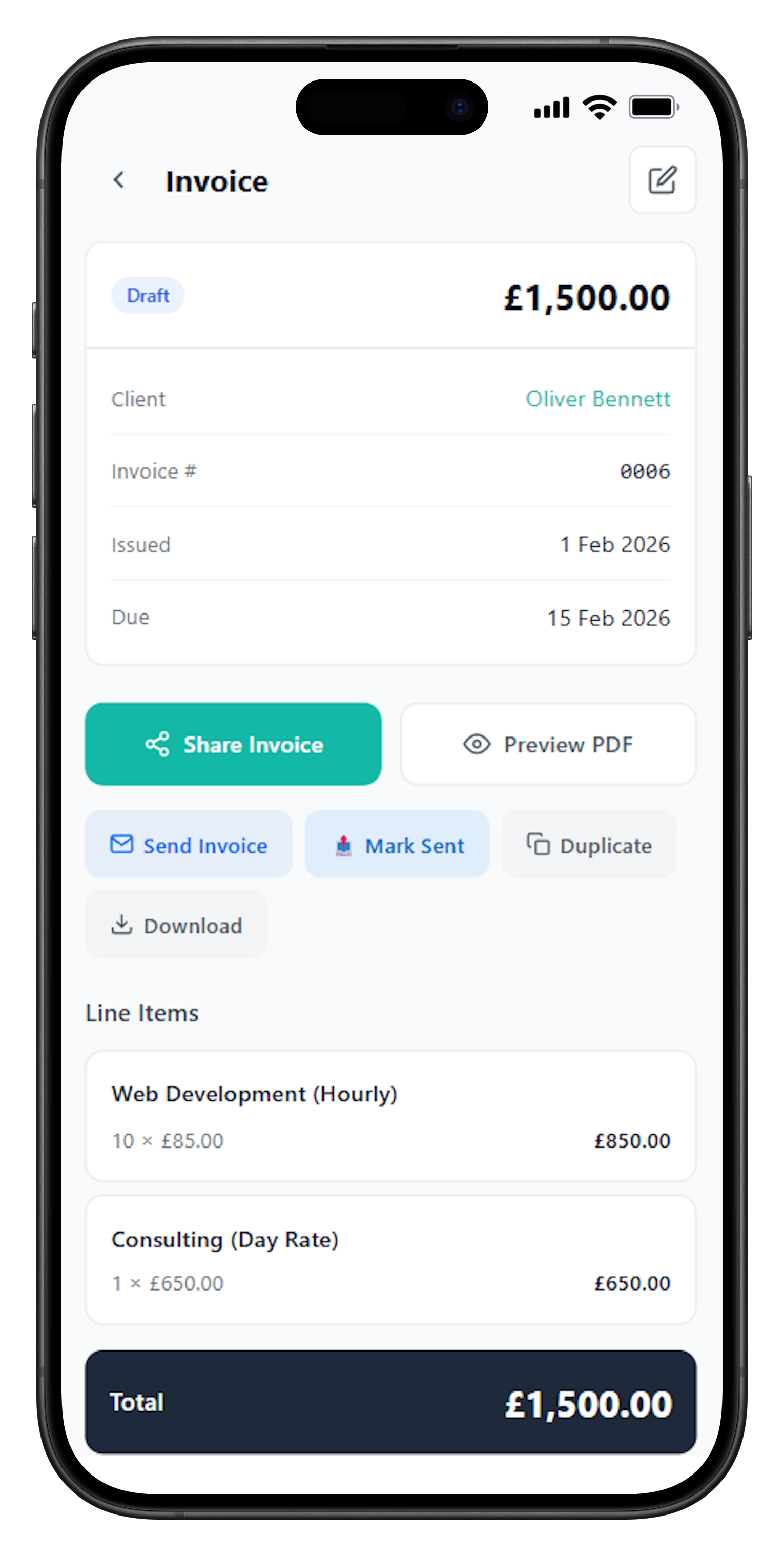
Create professional invoices in seconds, send directly to clients, and track payments until they're received.
What must be included on a UK freelance invoice
HMRC doesn't prescribe an exact invoice format, but certain information is legally required. Missing any of these fields can delay payment or cause issues during tax audits.
Your details
- Business or trading name
- Address
- Contact information
Client details
- Client name or company
- Billing address
Invoice info
- Unique invoice number
- Invoice date
- Due date
Services
- Clear description of work
- Quantity or hours
- Rate per unit
Amounts
- Line item totals
- Subtotal
- Total due
Payment
- Payment terms
- Bank details or payment link
Additional fields for VAT-registered freelancers
If your annual taxable turnover exceeds £90,000 — or you've voluntarily registered for VAT — your invoices need extra information:
- Your VAT registration number
- VAT rate applied to each line item (usually 20% standard rate)
- VAT amount shown separately
- Total including VAT
For invoices over £250, you must also include the tax point (date of supply) and a breakdown showing VAT per item. These aren't optional extras — they're legal requirements.
How FreelancerHub helps you generate invoices
FreelancerHub is built specifically for UK freelancers who want professional invoices without the complexity of full accounting software. Here's what you get:
Create invoices in seconds
Your details are saved, clients are stored, and invoice numbers are automatic. Just add line items and send.
Automatic VAT calculations
Set your VAT status once. Every invoice calculates VAT correctly, whether you're VAT-registered or not.
Professional PDF export
Download or email polished PDFs that look professional and include all required UK fields.
Send directly to clients
Email invoices from the app with you CC'd. No downloading and attaching files manually.
Track payment status
See which invoices are paid, pending, or overdue at a glance. Know exactly what you're owed.
Built for UK tax years
Generate summaries for the UK tax year (6 April to 5 April) to make Self Assessment easier.
Avoiding common invoicing mistakes
Even experienced freelancers make invoicing errors that cost them time and money. Here are the most common problems and how to avoid them:
Vague descriptions: "Consulting services — £1,500" doesn't tell your client (or HMRC) what you actually did. Be specific: "Strategy workshop (4 hours) + follow-up report" gives clarity and prevents disputes.
Missing payment terms: If you don't state when payment is due, clients will pay when it suits them. Always include due dates and keep them consistent across clients.
Inconsistent numbering: Reusing invoice numbers or jumping around in sequence creates audit problems. Use an invoice generator that handles numbering automatically.
Forgetting VAT details: If you're VAT-registered, every invoice needs your VAT number, rate, and amount. Missing this information means the invoice is technically invalid and your client can't reclaim VAT.
Not keeping copies: You need to retain invoices for at least six years for HMRC. Using an invoicing app means records are stored automatically and searchable when you need them.
Frequently Asked Questions
What information must a UK freelance invoice include?
A valid UK invoice must include: your business name and address, client's name and address, a unique invoice number, invoice date, clear description of services provided, amount due, and payment terms. If you're VAT registered, you must also include your VAT number, the VAT amount, and the VAT rate applied.
Do I need to charge VAT as a freelancer in the UK?
You only need to charge VAT if your taxable turnover exceeds £90,000 per year (the current VAT threshold) or if you've voluntarily registered for VAT. If you're below this threshold and not registered, your invoices should not include VAT.
How should I number my freelance invoices?
Invoice numbers must be unique and sequential. You can use any format that works for you — simple numbers (001, 002, 003), date-based codes (2026-001), or client prefixes (ABC-001). The key is consistency and ensuring no two invoices share the same number.
Can I send invoices without being a registered business?
Yes. As a sole trader in the UK, you don't need to register a company to send invoices. You simply trade under your own name and include your personal details on invoices. You will need to register for Self Assessment with HMRC to report your income.
What payment terms should I use on invoices?
Common payment terms include 'Due on receipt' (immediate payment), Net 14 (14 days), or Net 30 (30 days). For new clients, shorter terms reduce your risk. Whatever you choose, state terms clearly on every invoice and discuss them with clients before starting work.
How do I handle currency on invoices for international clients?
You can invoice in any currency you agree with your client — GBP, EUR, USD, or others. Make sure the currency is clearly stated on the invoice. For UK tax purposes, you'll need to convert foreign currency income to GBP using HMRC-approved exchange rates.