
Why quotes matter for freelancers
Before clients agree to work with you, they want to know what it will cost. A clear, professional quote sets expectations, demonstrates your expertise, and protects both sides. When the project is complete, there's no dispute about what was agreed.
But managing quotes separately from invoices creates problems. Double-entry, version confusion, manual tracking of which quotes are still pending — it's administrative overhead that takes time away from actual work.
Quote and invoice software solves this by connecting the two. Create quotes in the same system where you invoice. When clients accept, convert the quote to an invoice with one click. Everything stays linked, nothing gets lost.
The quote-to-invoice workflow
Here's how an efficient quote-to-invoice process works in practice:
1. Create and send the quote
Build your quote with line items, descriptions, and pricing. For freelancers, this typically includes: scope of work, timeline, rates (hourly, daily, or project-based), and payment terms. Add notes for clarity — assumptions, exclusions, validity period.
Send the quote directly to your client by email. They receive a professional document that represents your business, not a rough estimate scribbled in a message thread.
2. Client reviews and responds
Your client can accept or decline the quote. Good quote software makes this simple — a clear "Accept" or "Decline" option rather than ambiguous email chains. You get notified instantly when they respond.
If they decline, you can discuss changes and send a revised quote. If they accept, you have clear confirmation to begin work.
3. Convert to invoice
When the work is complete (or at agreed milestones), convert the accepted quote to an invoice. All details transfer automatically — client info, line items, amounts, VAT if applicable. No re-typing, no transcription errors.
The invoice links back to the original quote, creating an audit trail. If questions arise later, you can trace exactly what was agreed and when.
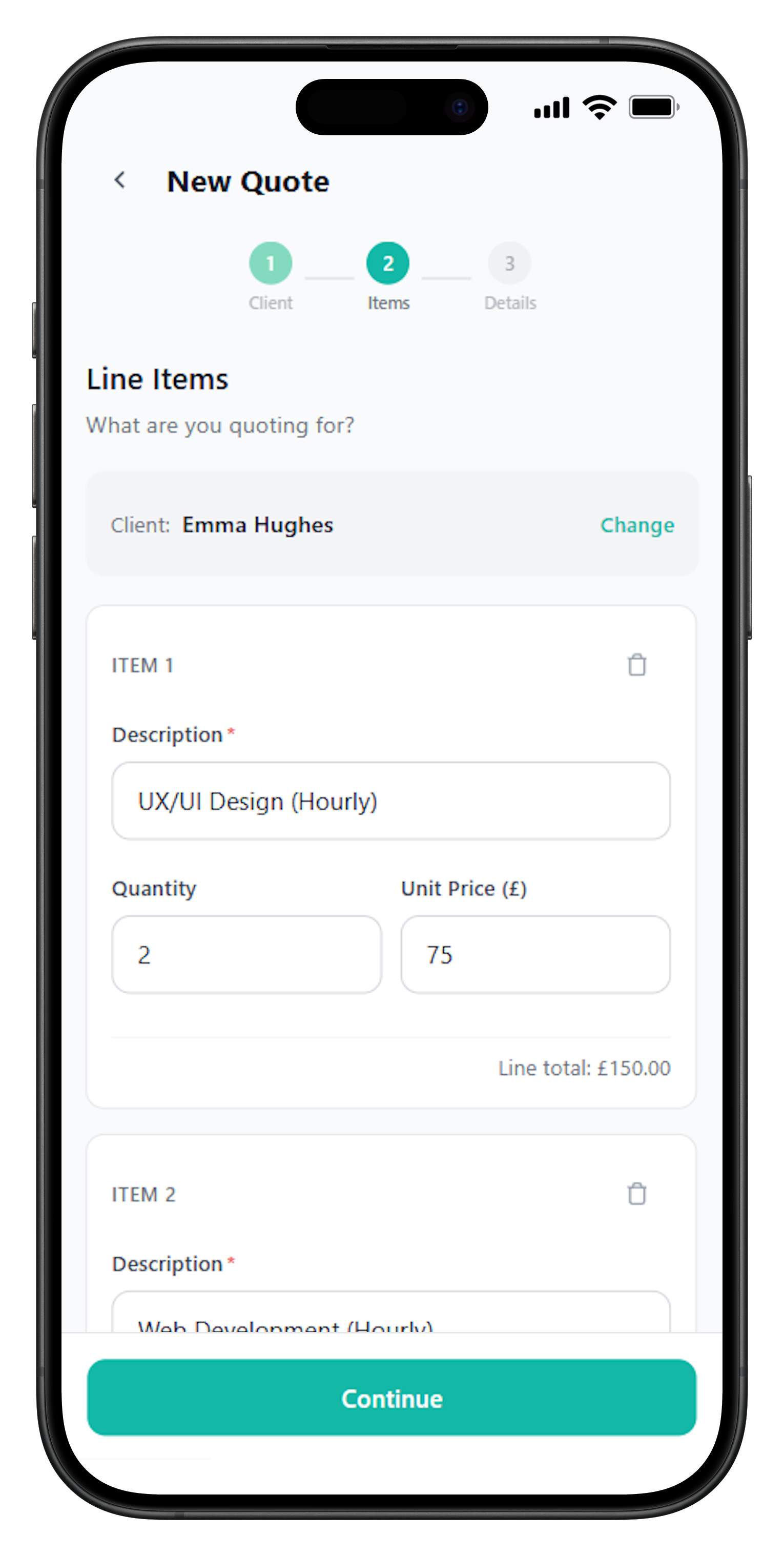
Example: quoting a design project
Let's walk through a typical scenario:
Quote: Brand identity design for Acme Ltd
Scope:
- Logo design (3 concepts, 2 revision rounds)
- Colour palette and typography selection
- Basic brand guidelines (10-page PDF)
- Social media avatar pack
Timeline: 3 weeks from project kick-off
Investment:
Design fee: £2,400
VAT (20%): £480
Total: £2,880
Payment terms:
50% deposit (£1,440) on acceptance
50% balance (£1,440) on delivery
Quote valid until: 28 February 2026
The client formally accepts. You immediately send the deposit invoice (converted from the quote) for £1,440. When the project completes, convert again for the balance. No confusion, no mismatched amounts.
Handling recurring work and retainers
Not all work fits the "quote → do work → invoice" pattern. Retainers and ongoing arrangements need different handling:
Monthly retainers
A retainer quote might specify: "£1,500/month for up to 20 hours of development support, billed on the 1st of each month." Once agreed, you set up recurring invoice drafts that generate automatically. Review and send each month — the quote established the terms, invoices collect the payment.
Ongoing support agreements
Some freelancers offer ongoing support packages: "£500/month for email support and monthly check-in calls." Quote this once, get acceptance, then invoice monthly based on the agreed terms.
Time-banked hours
Quote a block of hours upfront: "40 hours of design support at £50/hour = £2,000, valid for 3 months." Invoice upfront for the full amount or in stages. Track hours used against the quoted allowance.
How FreelancerHub handles quotes and invoices
FreelancerHub connects quotes and invoices in a single workflow designed for freelancers:
Create professional quotes
Build quotes with line items, VAT, notes, and your branding. Send directly to clients by email.
Client acceptance workflow
Clients can accept or decline quotes with a single click. You're notified instantly of their response.
One-click conversion
Convert accepted quotes to invoices instantly. All details carry over — no re-entry required.
Quote status tracking
See which quotes are pending, accepted, declined, or expired. Know your pipeline at a glance.
Recurring invoice drafts
Set up recurring drafts for retainer clients. Review and send on your schedule.
Quote-invoice linking
Invoices link back to their source quotes. Maintain a complete audit trail.
Quote vs estimate vs proposal
These terms sometimes confuse clients (and freelancers). Here's how they differ in UK business practice:
Quote: A fixed price for defined work. If the client accepts, they pay that amount. You can't change the price without mutual agreement. Quotes create contractual commitment.
Estimate: An educated guess at costs. Estimates allow flexibility — actual costs might be higher or lower. Less binding than quotes, but managing expectations matters.
Proposal: A broader document that explains your approach, methodology, timeline, and pricing. Proposals sell your services; quotes confirm the commercial terms. Many freelancers combine both in one document.
For most freelance work, quotes are clearest. They remove ambiguity about costs and provide a solid basis for invoicing. Use estimates when scope genuinely can't be defined upfront (and build in mechanisms for approving extra work).
Protecting yourself with quotes
Well-crafted quotes protect your interests. Include these elements:
- Detailed scope: What's included. Equally important: what's not included. "Two rounds of revisions" prevents unlimited change requests.
- Clear pricing: Break down by deliverable or phase. Show VAT separately if applicable. No ambiguous "all in" figures.
- Timeline: Realistic delivery dates. Note what can delay the timeline (e.g., "dependent on client feedback within 5 business days").
- Validity period: How long the quote stands. "Valid for 30 days" lets you update pricing if they delay.
- Payment terms: When you expect payment. Deposit requirements. Late payment policies.
- Acceptance mechanism: How they formally accept. Digital acceptance through quote software creates clean records.
A quote isn't just a price list — it's the foundation of your working relationship. Taking time to craft it properly prevents problems later.
Frequently Asked Questions
What's the difference between a quote and an invoice?
A quote is an estimate of costs given before work starts — it's not a request for payment. An invoice is issued after work is complete (or at agreed milestones) and is a formal request for payment. Quotes can be accepted or rejected; invoices are legally binding payment requests.
Is a quote legally binding?
In the UK, quotes are generally considered offers that become binding when accepted. Once a client formally accepts your quote, you're both committed to those terms. This is why quote acceptance workflows matter — they create clear records of agreed terms before work begins.
Can I change a quote after sending it?
Until a quote is accepted, you can typically revise it. Send a new version with updated terms and clearly mark it as superseding the previous one. After acceptance, changes require mutual agreement — you can't unilaterally change agreed terms.
How long should a quote remain valid?
Common validity periods are 14, 30, or 60 days. Shorter periods protect you from cost changes; longer periods give clients time to decide. Always state the validity period clearly on the quote. After expiry, you can decline work or send an updated quote.
Should I require deposits on quotes?
For larger projects or new clients, deposit requirements are sensible and common. Typical terms are 25-50% upfront before work begins, with the remainder invoiced on completion or at milestones. This protects your cash flow and confirms client commitment.
What's a retainer and how do I invoice for it?
A retainer is an ongoing arrangement where clients pay a regular fee (monthly, quarterly) to secure your availability or a set amount of work. Invoice retainers at the start of each period, before the work is done. Clearly state the retainer period and any hours/deliverables included.